
Month-End Close Toolkit
Run the whole close from one workbook
Checklist, reconciliations, flux and journal entries, all feeding one status page that tells you whether you're ready to close. Plus the AI prompts that speed up each step, and the checks that keep them honest.
$79 one-time
Secure checkout by Stripe. Instant download: Excel workbook, PDF prompt pack and the reporting package. Have a code? Enter it at checkout. Terms & refunds
What's inside
An Excel workbook and a prompt pack
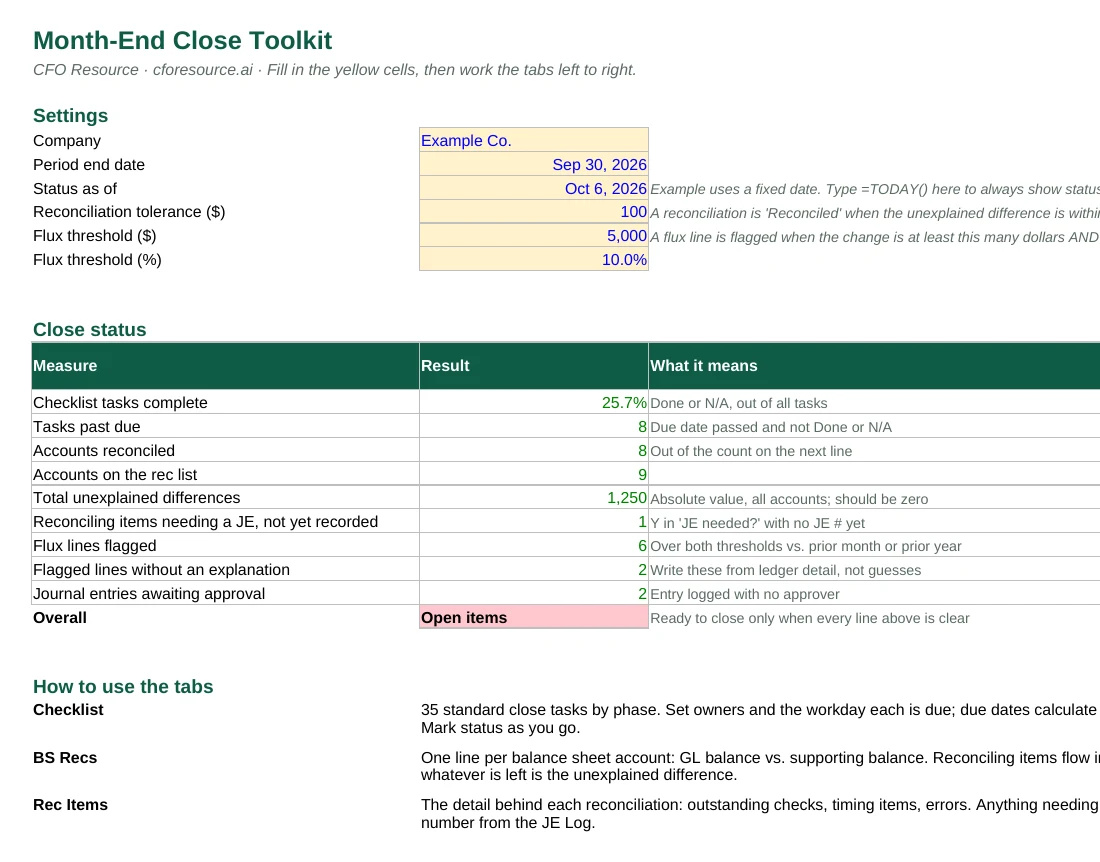
The workbook has six formula-driven tabs. Yellow cells are inputs; everything else calculates. Example data shows how it works, and clears out in a few minutes.
The Close Prompt Pack (PDF) has nine prompts, each paired with a tab, including four that aren't on the free site. Every prompt tells the AI not to do the math. The workbook does that.
It also includes the free month-end reporting package, so the close and the package work together.
- Close Status
One page: % complete, past-due tasks, open recs, unexplained differences, unexplained flux, unapproved entries - Checklist
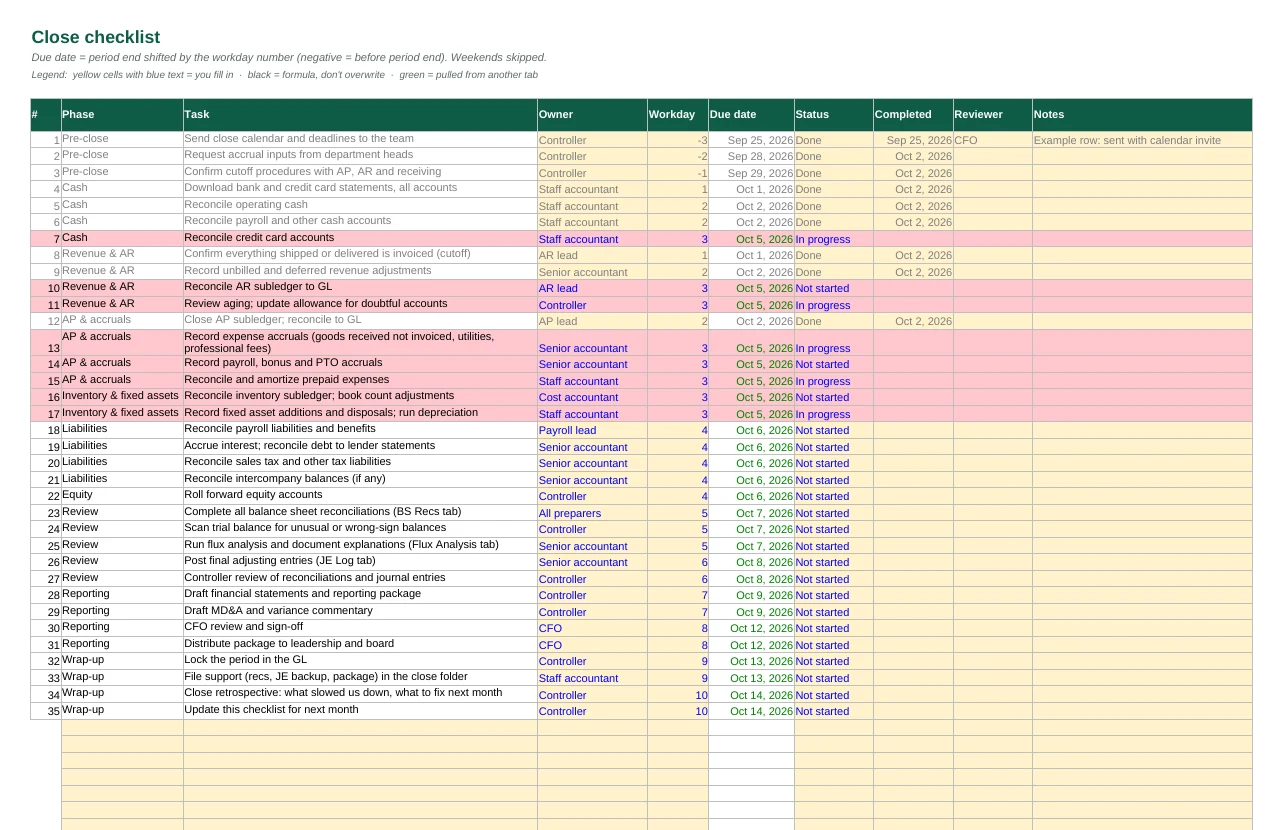
35 close tasks by phase with owners; due dates calculate from period end by workday - BS Recs
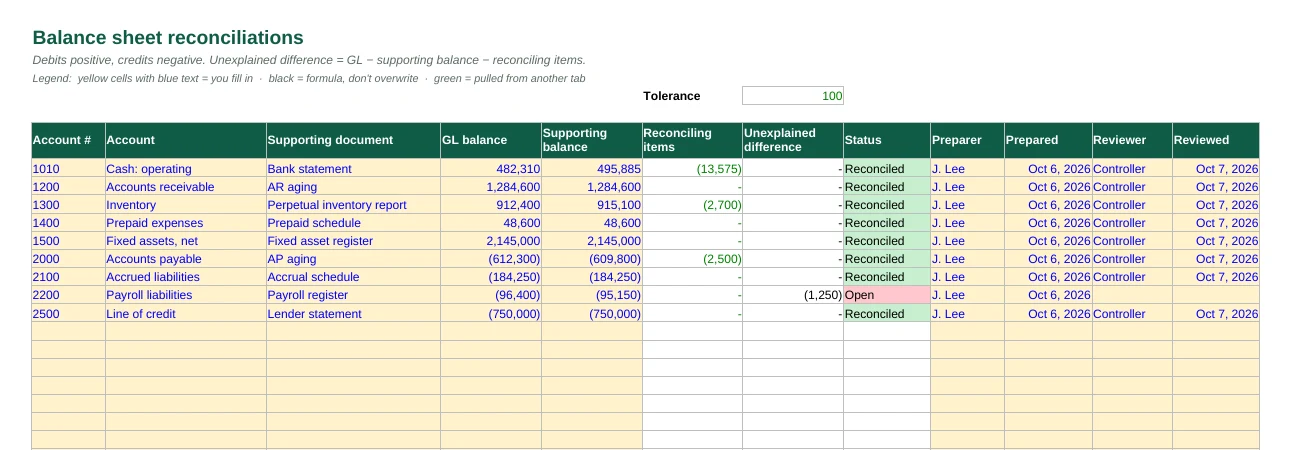
GL vs. support for every balance sheet account; anything over tolerance turns red - Rec Items
Outstanding checks, timing items and errors, tied to the rec and to the JE that clears them - Flux Analysis
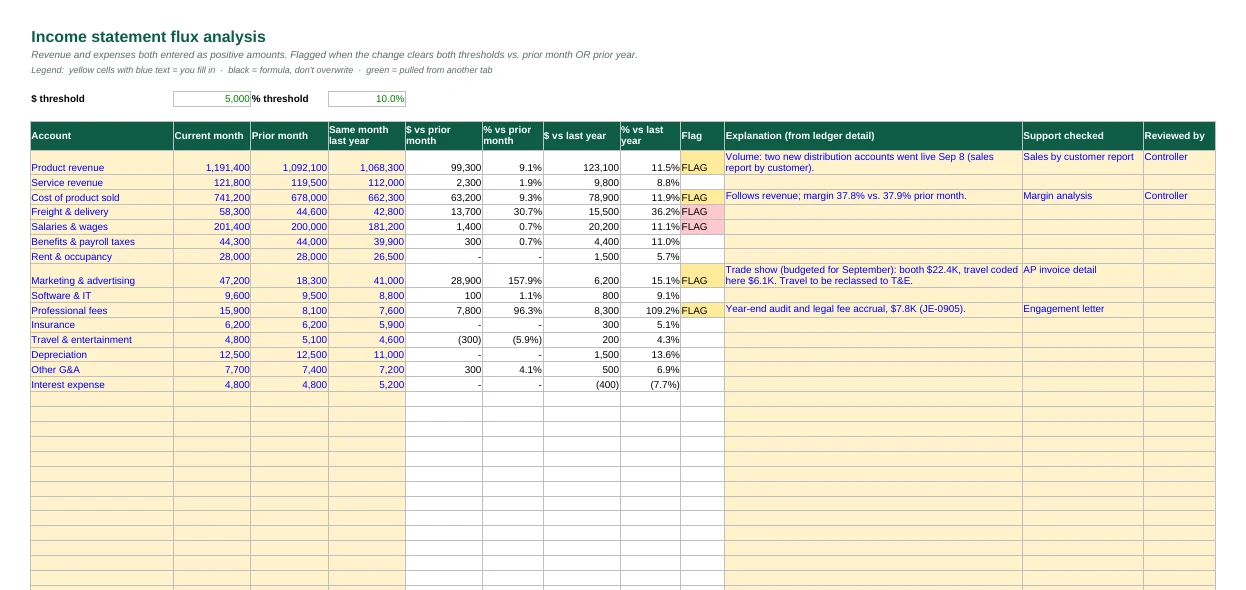
Month-over-month and year-over-year, flagged on your $ and % thresholds; unexplained flags stay red - JE Log
Every adjusting entry with support and approver; unapproved entries surface on the status page
The prompt pack
Nine prompts for the close
- Build a close checklist with owners and deadlines
- Check a balance sheet reconciliation for errors
- Review reconciling items before sign-off
- Explain income statement flux month over month
- Check journal entries before approval
- Document an accrual estimate
- Turn a trial balance into a reporting package
- Draft MD&A variance commentary
- Run the close retrospective
Educational tool, not professional advice. Templates are provided as-is; review every figure before relying on it.